
I have implemented, migrated, or torn out every platform on this list. That is the only reason this comparison is worth your time, because nearly every other "best customer service software" ranking you will find is published by one of the vendors being ranked.
The most useful thing I can tell you about 2026 is that the important change is not in the feature grids. It is in how these platforms charge you. Kayako has abandoned per-seat pricing entirely and now bills $1 for each ticket its AI resolves. Groove became Helply and moved to the same model. Gorgias never charged per agent at all. Intercom bills $0.99 every time Fin closes a conversation, and Help Scout bills $0.75 per AI answer.
That repricing cuts against the instinct most buyers walk in with. Under per-seat pricing, every ticket your AI deflects is money saved. Under per-resolution pricing, every ticket your AI touches is a line item. A team that automates aggressively can pay more after deflection than it did before, and month four of a signed contract is an expensive place to learn that.
So the list below is built around fit and failure modes rather than feature counts. For each platform I have named what it is genuinely strongest at and where it breaks, because the second half is what nobody selling you software will volunteer. Customers do expect fast, personalized support, but that expectation is table stakes now and it does not narrow a shortlist. Operating shape does.
Most shortlists get built around features the buyer already knows they want, which usually means buying the same shape of platform they already have. Run our CX maturity scorecard first to surface the operational gap, then shop the platforms that close that specific gap.
What is Customer Service Software?
Customer service software is the system of record for customer conversations. It pulls inbound from every channel your customers actually use, including email, phone, chat, SMS, and social, into one workspace where an agent can see a whole history rather than one fragment of it. That consolidation is the entire point, and it is what makes a seamless omnichannel experience possible rather than aspirational.
What separates the 2026 generation from the 2023 generation is that the AI layer now resolves rather than deflects. The older systems pointed a customer at a help article and closed the ticket, which customers correctly read as being fobbed off. Current systems attempt the answer, and the better ones succeed often enough to change how you staff. Before evaluating specific platforms, decide which model family fits your operation, whether that is a RAG chatbot, agentic AI, or voice AI, because the wrong family choice makes the rest of the vendor list irrelevant. The same distinction applies to self-service knowledge bases and IVR: deflection and resolution are different products with different economics, and vendors use the words interchangeably when it suits them.
The Real 2026 Shift: From Per-Seat to Per-Resolution
For a decade, buying customer service software meant buying seats. You counted agents, multiplied by a monthly rate, and that was your bill. AI has broken that model, and 2026 is the year the pricing pages caught up.
The vendor logic is straightforward. If an AI agent resolves half your tickets, you need fewer human seats, which means seat-based pricing makes a vendor's revenue fall as their product gets better. So pricing moved to where the value landed: the resolution itself.
| Platform | Billing basis | Entry point |
|---|---|---|
| Kayako | Per AI resolution | $1 per resolved ticket |
| Groove (now Helply) | Per ticket | $3,000/year floor |
| Gorgias | Per ticket | $10/mo (50 tickets) |
| Intercom | Seat + per outcome | $29/seat + $0.99 |
| Help Scout | Seat + per AI answer | $25/seat + $0.75 |
| Kustomer | Seat + per conversation | $89/seat + $0.60 |
| Tidio | Conversation bundles | $24.17/mo |
The remaining eight platforms on this list, Dixa, Gladly, Giva, HappyFox, HubSpot Service Hub, LiveAgent, Salesforce Service Cloud, and Zoho Desk, still bill the traditional way: per agent, per month.
The consequence is easy to miss until you are three months into a contract. Under per-seat pricing, deflection is pure savings, because every ticket the AI handles is one a human did not. Under per-resolution pricing, deflection is a cost line. Automate 60% of a 10,000-ticket month on a $1-per-resolution contract and you have added $6,000 of spend, not saved it. Whether that is a good trade depends entirely on what those 6,000 tickets were costing you in loaded agent time, and that is a calculation most teams run after signing rather than before.
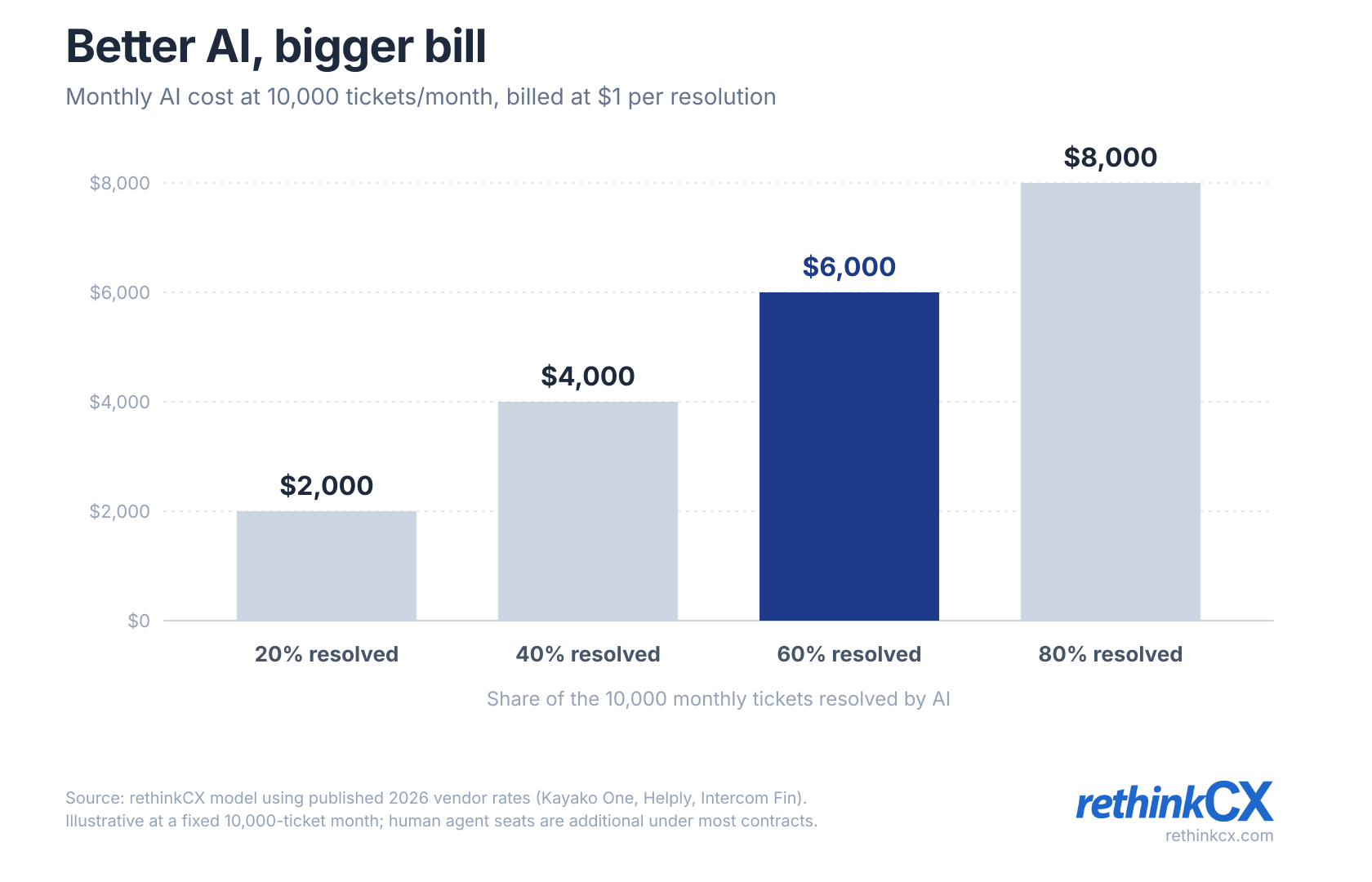
This is not a fringe worry, and the most striking evidence for it comes from Gartner reversing itself. In March 2025 its agentic AI forecast put AI on course to autonomously resolve 80% of common service issues by 2029, with a 30% reduction in operating costs. Ten months later its 2026 cost-per-resolution prediction put GenAI cost per resolution above $3 by 2030, higher than many B2C offshore human agents, and concluded that full automation will be prohibitively expensive for most organisations. The firm rewrote its own economics inside a year, and the vendors repricing their platforms right now are reading the second forecast rather than the first.
Two rules come out of this. First, model the bill at the volume you expect in eighteen months rather than today's, because per-resolution pricing scales with growth in a way seat pricing does not. Second, ask any vendor on a resolution model what actually counts as a resolution. The definitions vary and they are not neutral. Intercom, for instance, bills when a customer confirms resolution or simply stops replying, and those are not the same event.
Why Your Business Needs It in 2026
Here is what genuinely changes once the system is in place, drawn from migrations I have run rather than from benefit bullets on vendor sites.
Context stops getting lost between channels. In the engagements I have run, having to repeat yourself surfaces in customer verbatims more than any other complaint. That is almost never an agent failure. It is a data failure, and it is the one thing this category reliably fixes.
Routing stops depending on who happens to be looking. Skills-based assignment sounds like a minor feature until you watch a billing question sit in a general queue for six hours because nobody claimed it.
You find out what customers are actually contacting you about. Tagged, categorised volume data is usually the highest-value output of an implementation, and it is the one clients are least prepared for. The top contact driver is very often something a product or logistics change could remove entirely.
Turnover stops being catastrophic. When knowledge lives in the platform rather than in the heads of your three longest-tenured agents, losing one of them costs you a hire rather than a quarter.
The honest counterweight: software does not fix a broken service operation. If your response times are poor because you are understaffed, a new platform gives you better reporting on being understaffed. Every failed implementation I have been called into started as a process problem that somebody tried to buy their way out of.
How Does It Work?
A customer posts a complaint on social, emails a follow-up the next morning, then calls that afternoon. Without a shared system that is three unconnected conversations and a customer repeating themselves three times. With one, all three land against a single record. The agent sees the full history, automation flags the thread as escalating, and AI suggests a reply drafted from the previous two exchanges. Tickets assign on skill or workload rather than on who is free, and resolution time becomes something you measure rather than something you estimate.
The Role of Software in Outsourced Support (BPO)
Outsourcing’s booming in 2026, with remote business process outsourcing (BPO) hubs popping up worldwide. But high agent turnover and knowledge gaps can tank your CX. The right software bridges that divide. It centralizes training resources, streamlines workflows, and keeps service consistent—whether your team’s in-house or halfway across the globe. For BPOs, it’s not just a tool; it’s the backbone of business continuity and unified customer experiences.
Best Customer Support Software vs. Best Customer Service Software: Same Shortlist, Different Buyer Language
A search-side note worth being explicit about, because buyers ask me this every quarter: the best customer support software shortlist and the best customer service software shortlist are functionally the same list. The vendors do not segment the market that way. Zendesk, Intercom, Freshdesk, Help Scout, Salesforce Service Cloud, Gorgias, Tidio, Front, Kustomer — all of them sell into both labels. The labels are buyer-side language artifacts, not product categories.
The distinction is real but small. Customer support software tends to be the term used by SaaS, fintech, and B2B operations where the work is ticket-driven, asynchronous, and email- or chat-led. Help Scout, Front, and Intercom skew strongest here. Customer service software tends to be the term used by ecommerce, retail, hospitality, and consumer brands where the work spans phone, chat, and social, and where omnichannel context matters more than ticket-tracking depth. Gorgias, Zendesk, Salesforce Service Cloud skew strongest here. Both labels overlap on the middle of the platform list — Zendesk and Intercom show up in both buyer searches because both platforms serve both shapes of operation.
If you are evaluating "best customer support software" vendors specifically, the platforms below ranked highest on ticket-driven workflows, async-friendly UX, and integration depth with engineering tools (Jira, GitHub, internal status pages) are: Help Scout, Front, Intercom, Freshdesk, Zendesk, and Kustomer. The rest of the list still applies — but the top of the shortlist tilts toward those six when the operation is support-led rather than service-led.
Teams already running Zendesk and weighing a move are a narrower case: the Zendesk alternatives that fit each operating model sort the realistic swaps by how much setup they demand versus how far you can bend them to your process.
The honest framing for either buyer search: pick the platform that fits the channel mix and team shape you actually have, not the label your team uses internally. The vendor will sell into either label and configure for either workflow shape.
Top 15 Customer Service Software
Dixa
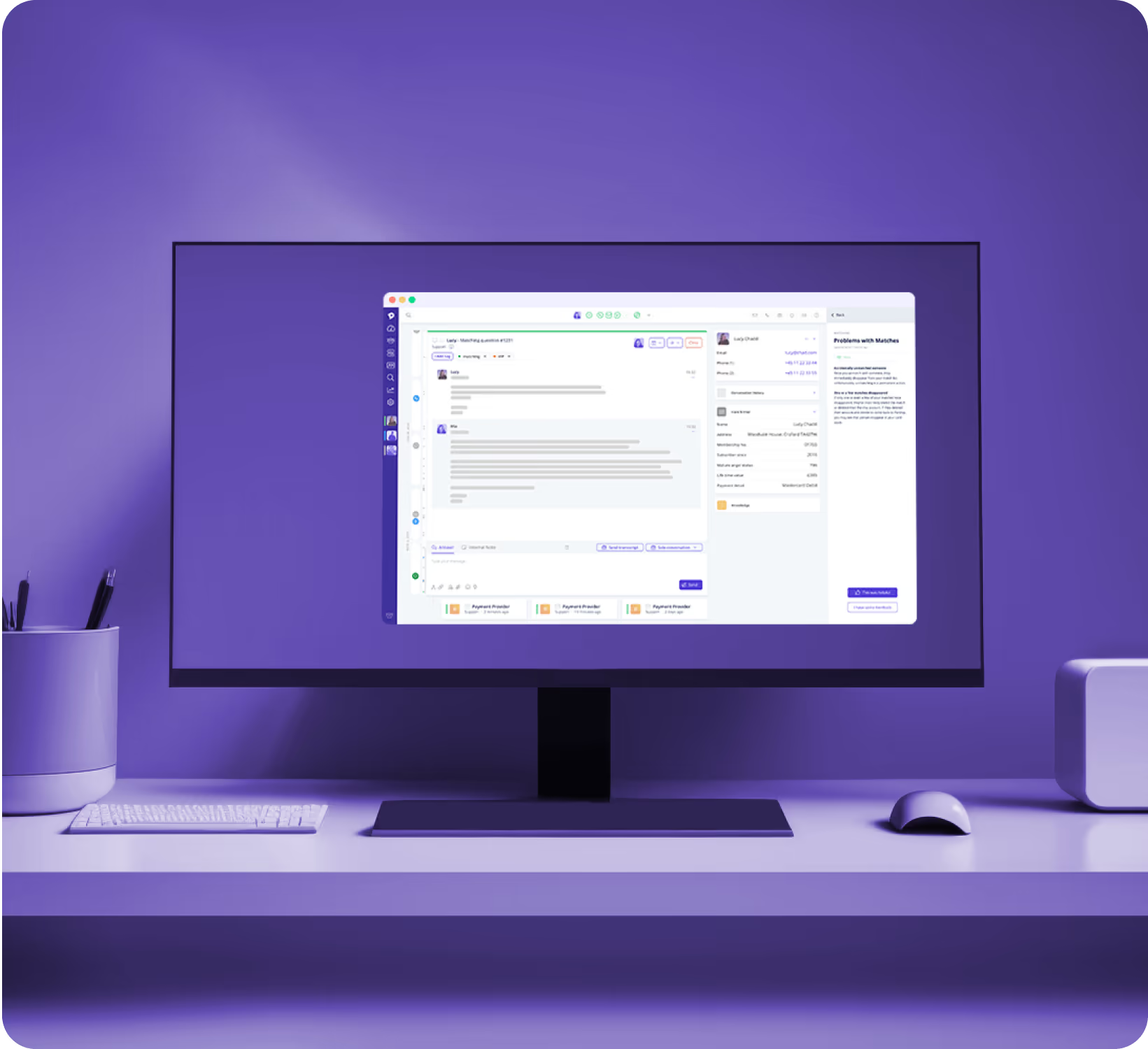
Dixa is built for contact centres that genuinely run every channel at once. Phone, email, chat, and social land in one agent workspace, and voice is treated as a first-class channel rather than something bolted on afterwards. That is rarer than vendor marketing suggests, and it is why Dixa keeps surviving mid-market omnichannel evaluations. Routing assigns on skills and availability, and conversation history follows the customer across channels instead of fragmenting into separate tickets.
Key Features:
-
Strongest at: True omnichannel routing, with voice handled as well as digital rather than as an afterthought.
-
Weakest at: Entry pricing sits near the top of the mid-market. Despite the simple interface, this is not a small-team product, and teams under about 15 agents will struggle to justify it.
-
Best for: Mid-market contact centres running phone and digital at real volume.
-
Pricing: Growth €89, Ultimate €139, Prime €179 per agent/month; 20% off annual billing (verified August 2026).
Giva
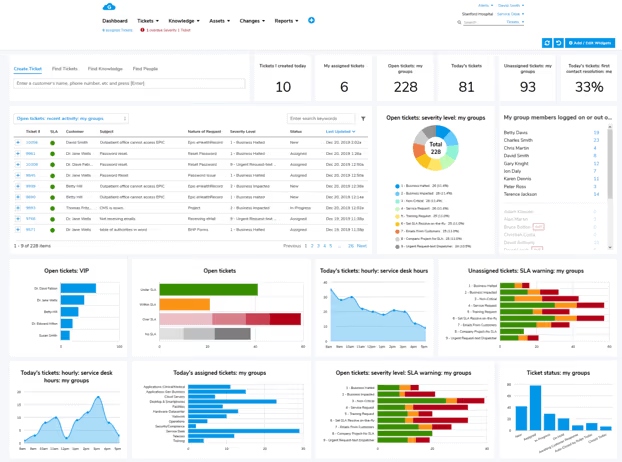
Giva is the secret weapon for organizations that need serious security without the usual headache of serious software. It's a cloud-based, HIPAA-compliant platform that covers both IT help desk and customer service ticketing from one slick, AI-powered hub. Think Apple-level design meets enterprise-grade compliance—where your agents are up and running in under an hour, not weeks. With AI Knowledge Copilots surfacing the single best answer from your knowledge base, Tsunami Tickets grouping related cases for one-click mass updates, and real-time CSAT tracking baked right in, Giva makes your whole support operation smarter without adding complexity.
What really makes Giva stand out in 2026 is its dual IT + Customer Service architecture—you get fully isolated, independently configured service desks for every department (IT, CS, HR, Facilities, you name it) all under one license. Add in HIPAA/HITECH compliance with a signed Business Associates Agreement included on every plan, plus Easy Three-Click Reporting™ that turns complex analytics into shareable dashboards without a data analyst, and you've got a platform that punches way above its weight. With a 25-year track record and a 12.8-year median customer retention—unheard of in SaaS—Giva is the rare tool that teams genuinely stick with.
Key Features:
-
Why It Rocks: HIPAA-compliant, AI-powered help desk and customer service in one platform—with a BAA included on every plan and a 12.8-year median customer retention that speaks for itself.
-
2026 Upgrade: AI Knowledge Copilot now cuts resolution times by up to 47% by pinpointing the single best answer—no scrolling through results—and AI ticket summaries keep agents moving fast while sounding sharp.
-
Best For: Regulated industries—healthcare, legal, financial services, and state/local governments—that need airtight security and compliance without sacrificing ease of use or agent productivity.
-
Pricing: Professional from $69/agent/month; Unlimited AI Copilot, storage, and USA-based support included on all plans.
Tidio

Tidio is chat-first, with an AI agent called Lyro carrying the repetitive inbound. It fits ecommerce and SMB teams whose volume arrives through a website widget rather than an inbox. Tidio reports Lyro resolving roughly 64% of conversations on average and guarantees a 50% resolution floor on its Premium tier. Treat both as vendor figures. In practice the resolution rate you get is set almost entirely by how good your knowledge base was before you switched it on, not by the model.
Key Features:
-
Strongest at: Fast time-to-value on chat deflection for teams with a decent existing knowledge base.
-
Weakest at: Conversation-based billing climbs quickly with volume, and the ticketing side is thin next to a real help desk. Growing past chat means migrating.
-
Best for: Ecommerce and SMB teams where the website widget is the primary channel.
-
Pricing: Starter $24.17/mo, Growth from $49.17/mo, Plus from $300/mo. Lyro AI billed separately from $32.50/mo (verified August 2026).
Salesforce Service Cloud
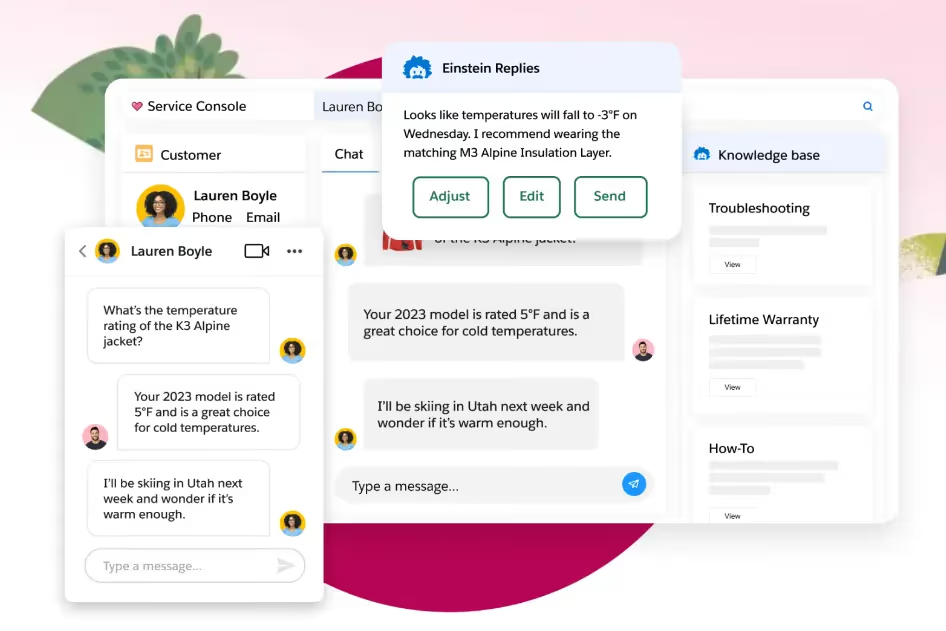
Service Cloud is the right answer when your company already runs on Salesforce and support needs to read and write the same records as sales. Nothing integrates as deeply with Salesforce data, and at enterprise scale its reporting and permissioning model is genuinely more capable than any standalone help desk. The trade is that you are buying a platform to configure, not a product to switch on.
Key Features:
-
Strongest at: Depth of integration with Salesforce data, and enterprise-grade reporting and permissions.
-
Weakest at: Cost and admin overhead. The $25 Starter Suite is a bundle, not a service desk, and meaningful Service Cloud capability starts at Enterprise. AI does not unlock below that tier. Every deployment I have worked on needed either a dedicated admin or an implementation partner.
-
Best for: Enterprises already standardised on Salesforce, with in-house admin capacity.
-
Pricing: Starter Suite $25, Pro Suite $100, Enterprise $165-175, Unlimited $330+ per user/month. Add-ons such as Digital Engagement and Service Cloud Voice run $50-200 per user/month on top (verified August 2026).
Zoho Desk
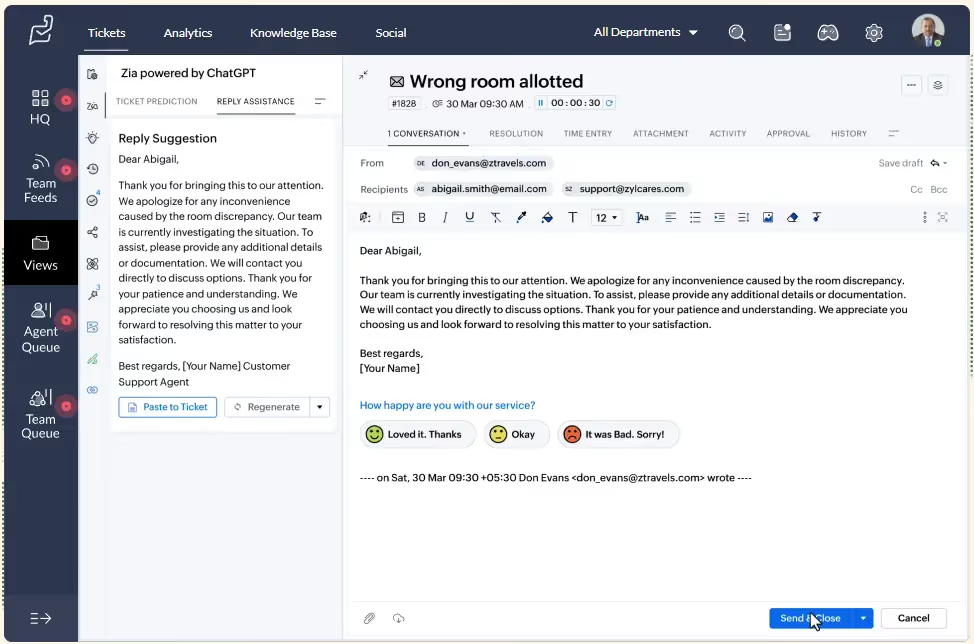
Zoho Desk delivers most of what a mid-market help desk needs at a price that undercuts nearly everyone, and it is the obvious pick if you already run other Zoho applications. Intake across email, phone, chat, and social media arrives in the entry tiers rather than being gated behind enterprise pricing, and Zia handles triage and escalation competently.
Key Features:
-
Strongest at: Feature coverage per dollar. Very little else in the category offers this much at this price.
-
Weakest at: The interface shows its age, and support responsiveness is inconsistent. Zoho's breadth is also its weakness, as integration between its own products is less seamless than the marketing implies.
-
Best for: Cost-conscious SMB and mid-market teams, especially existing Zoho customers.
-
Pricing: Free edition for 3 agents; paid tiers from roughly $14/agent/month billed annually. Zoho lists materially different prices by billing region, so confirm in your own currency (verified August 2026).
HubSpot Service Hub
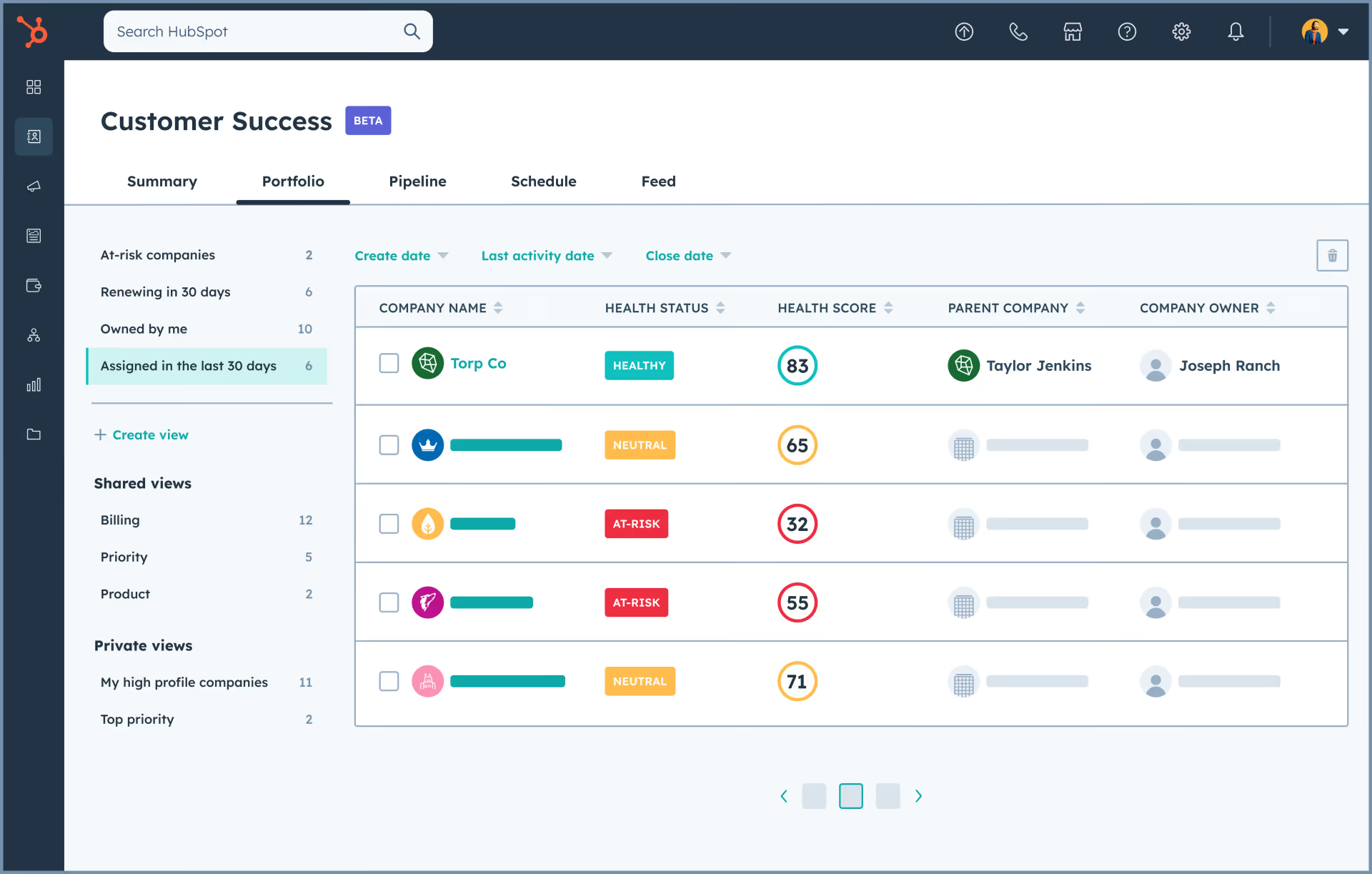
Service Hub earns its place when the rest of your go-to-market stack is already HubSpot. Support tickets, marketing email, and sales pipeline all read from a single contact record, which removes an entire category of integration work and makes lifecycle reporting straightforward in a way that bolting two systems together never quite achieves.
Key Features:
-
Strongest at: Shared contact data across marketing, sales, and support with no integration layer to maintain.
-
Weakest at: As a standalone service desk it is narrower than the competition on channel coverage and admin flexibility. The Starter-to-Professional jump is steep and carries a one-time onboarding fee.
-
Best for: Teams already committed to HubSpot across marketing and sales.
-
Pricing: Free for 2 users; Starter from about $20/seat/month; Professional $90-100/seat/month plus a one-time onboarding fee (verified August 2026).
Intercom
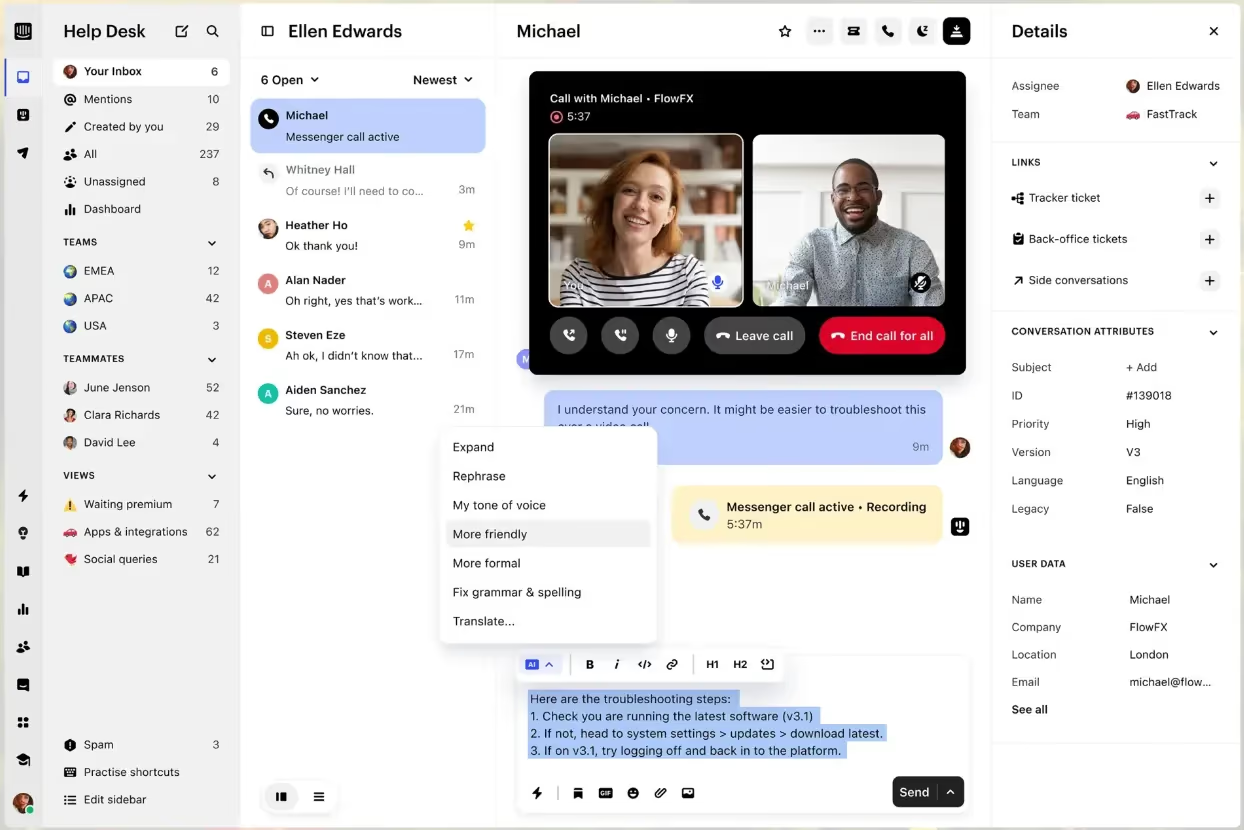
Intercom is the strongest chat-led platform in the category, and Fin is the most capable AI agent I have deployed. If most of your volume arrives in a messenger and you want AI genuinely resolving conversations rather than deflecting them into a contact form, this is the shortlist leader and it is not especially close.
Key Features:
-
Strongest at: AI resolution quality on conversational volume, and the polish of the messenger itself.
-
Weakest at: The pricing model. Seats start at $29, but Fin bills $0.99 per resolved outcome on top, so your cost scales with the AI working well. Teams that budget on seat count alone consistently underestimate the invoice. Ticketing depth for email-led operations also trails purpose-built help desks.
-
Best for: Chat-led SaaS and B2C teams that want AI resolving rather than deflecting.
-
Pricing: Essential $29, Advanced $85, Expert $132 per seat/month, plus Fin at $0.99 per resolution (verified August 2026).
Help Scout
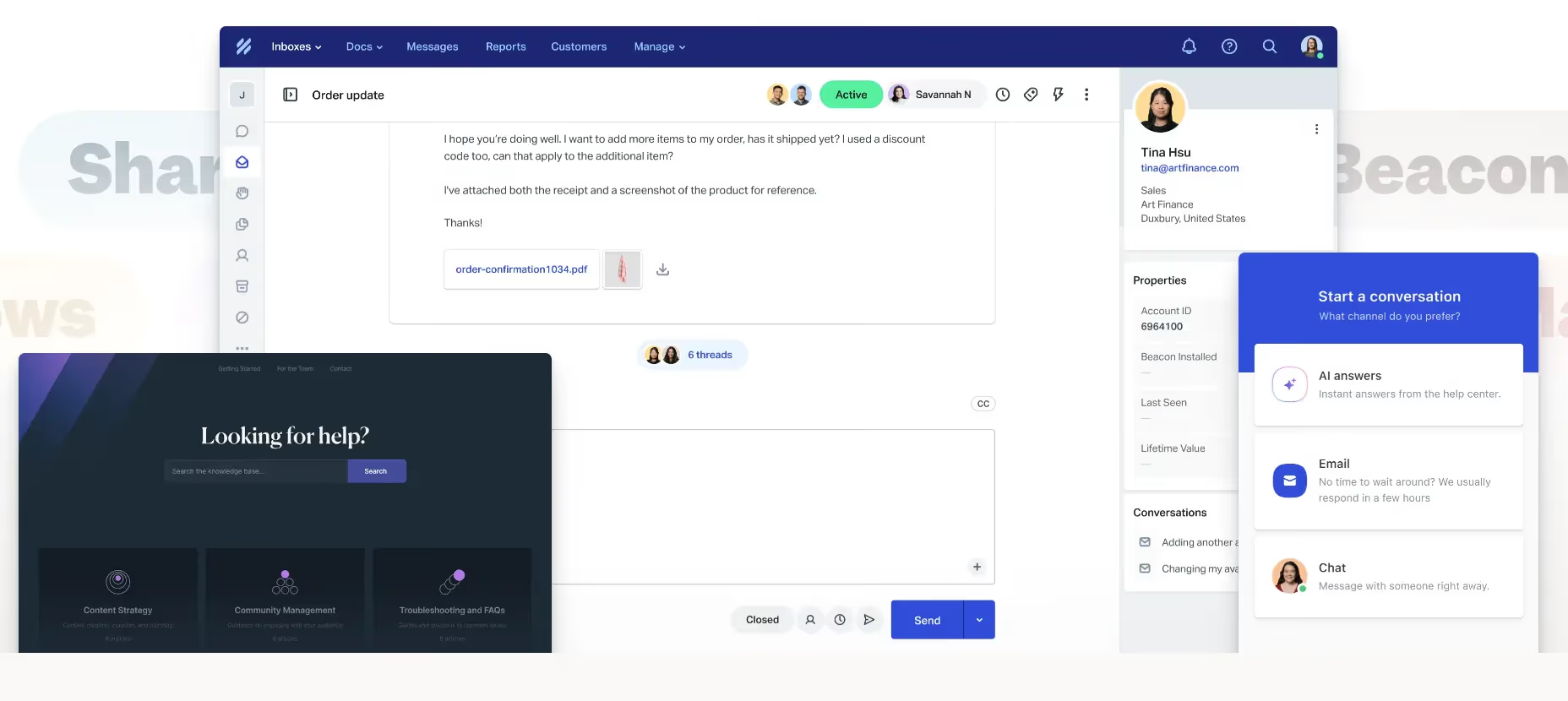
Help Scout is the cleanest shared inbox in the category, and for an email-led B2B support team under roughly 15 agents it is usually the correct answer. Setup takes hours rather than weeks, the agent experience is genuinely pleasant, and it does not push you toward configuration you do not need. That restraint is the product.
Key Features:
-
Strongest at: Time-to-value and agent experience for email-led teams. Nothing else gets running this fast.
-
Weakest at: It is deliberately not a contact centre. There is no real voice channel, routing sophistication is limited, and reporting thins out as you scale. Teams generally outgrow it somewhere past 20 agents.
-
Best for: Email-led B2B and SaaS support teams under about 15 agents.
-
Pricing: Free for up to 5 users; Standard $25, Plus $45, Pro $75 per user/month. AI Answers billed separately at $0.75 per resolution (verified August 2026).
LiveAgent
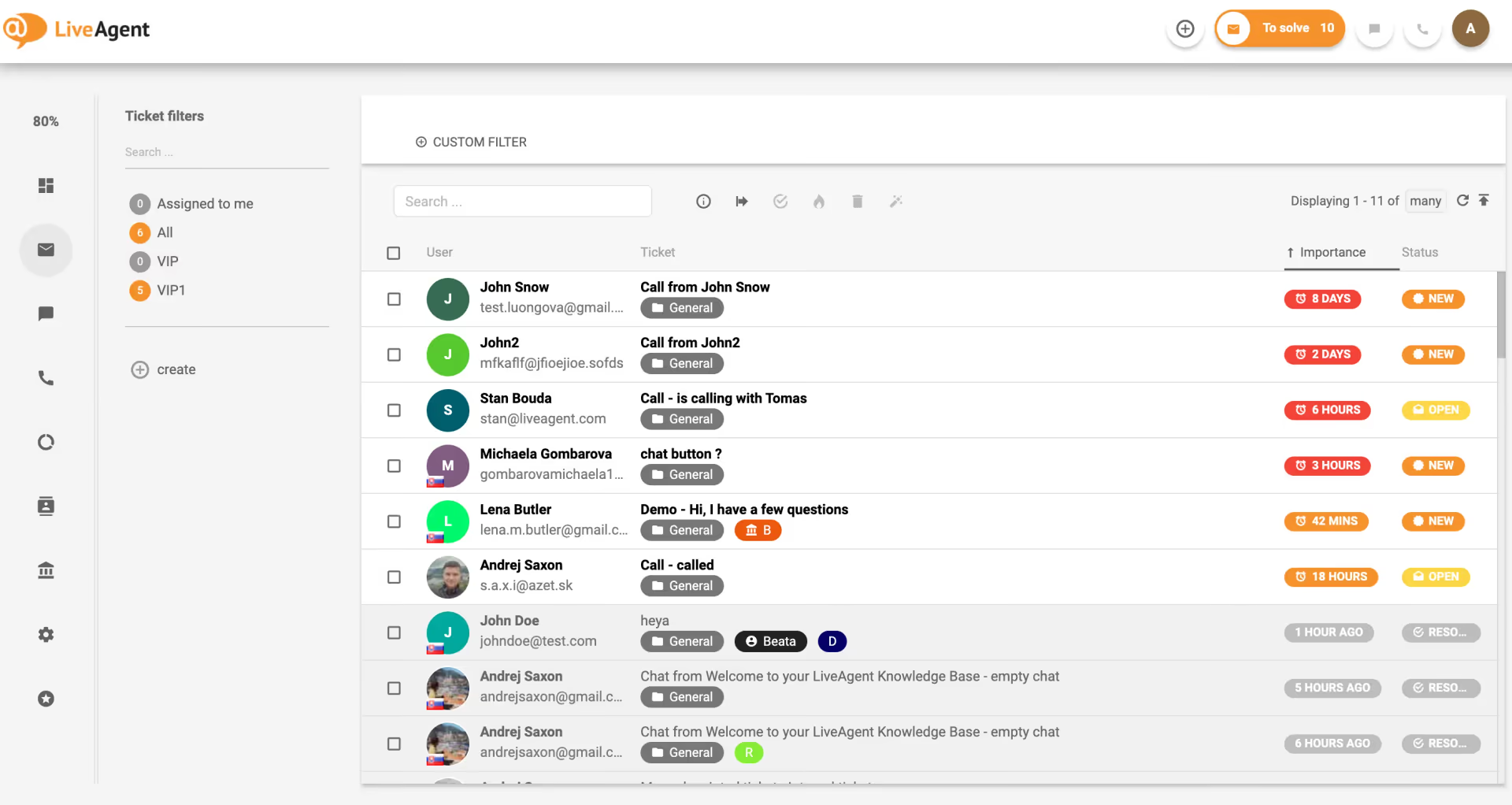
LiveAgent is the cheapest credible route to a built-in call centre sitting alongside chat and ticketing. If phone is a genuine channel for you and the budget is tight, very little else competes at this price point, and the call routing, recording, and callback features are real rather than nominal.
Key Features:
-
Strongest at: Voice capability per dollar. No other platform at this price includes a working call centre.
-
Weakest at: The interface feels dated next to modern competitors, and the sheer breadth of features comes at the cost of polish in any individual one.
-
Best for: Budget-constrained teams where phone support is a primary channel.
-
Pricing: $10-46/agent/month on annual billing at current promotional rates through January 2027, or $13-57 billed monthly (verified August 2026).
Kayako
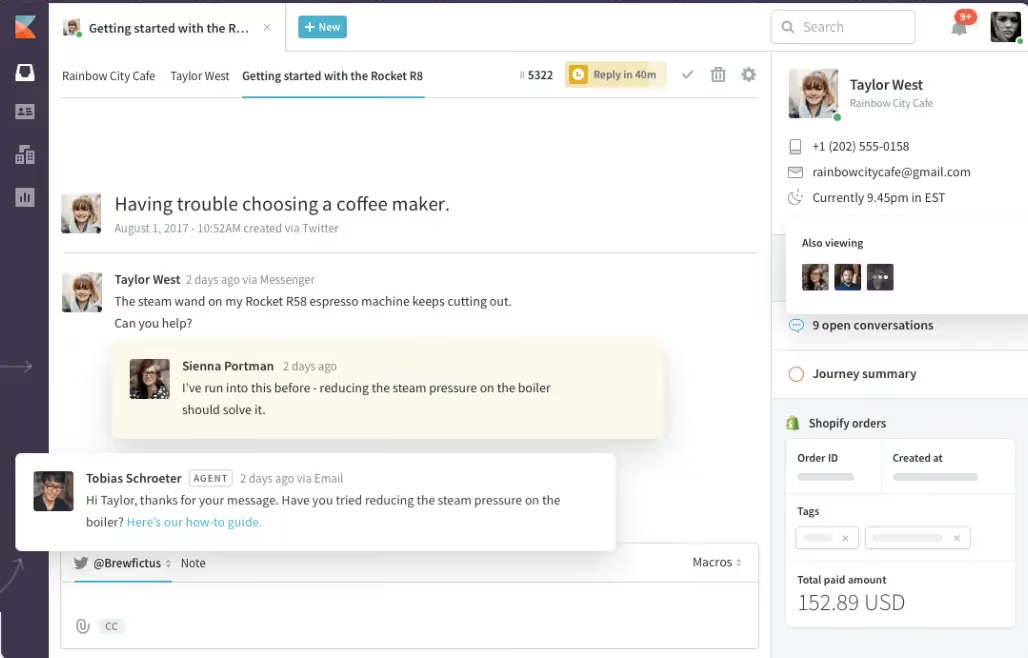
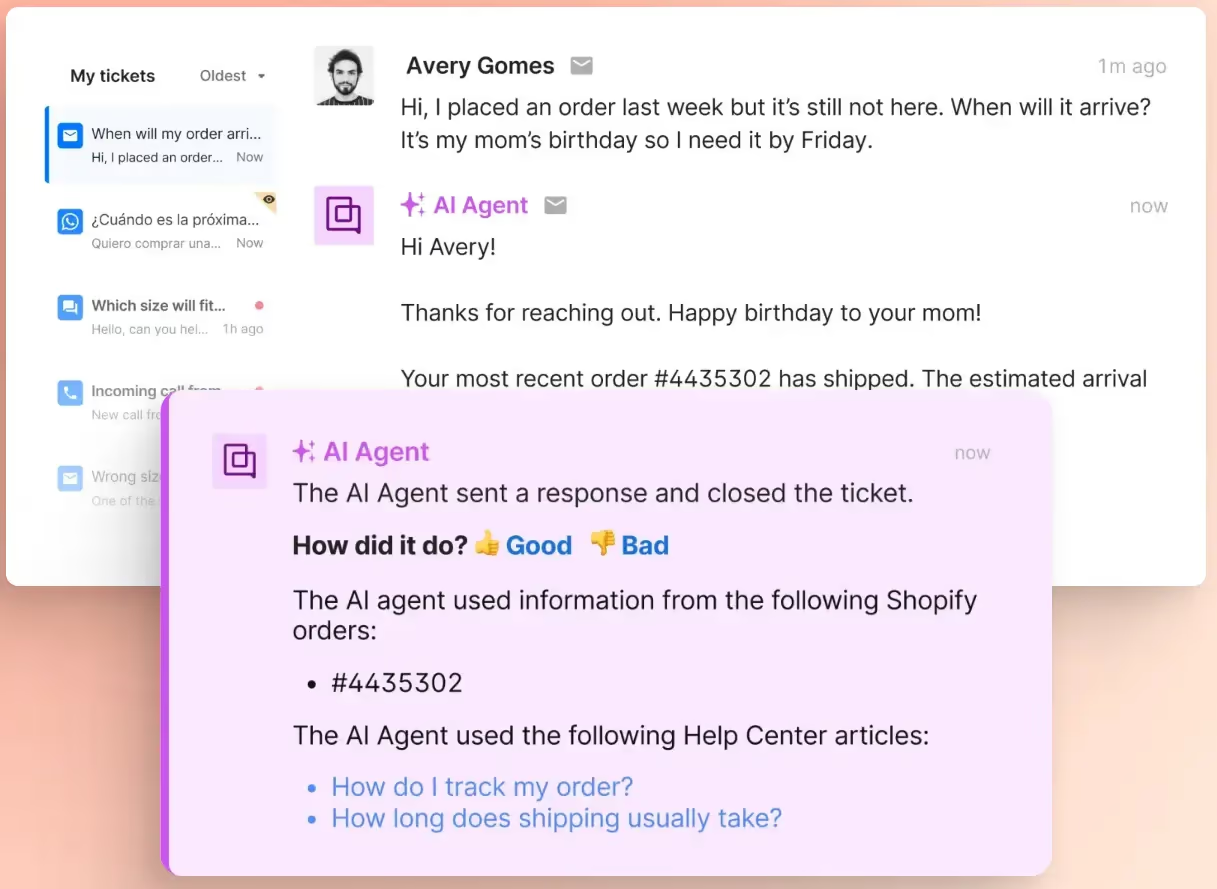
Kayako has changed shape more than anything else on this list. It has collapsed into a single tier, Kayako One, and abandoned per-seat pricing entirely. You now pay $1 for each ticket its Kay AI agent successfully resolves, with no seat fees and no setup fees. For a team with high, repetitive volume and a well-maintained knowledge base, that can be dramatically cheaper than seat-based licensing.
Key Features:
-
Strongest at: Cost alignment for repetitive, high-volume queues. You pay for resolutions rather than headcount.
-
Weakest at: It is a bet on your own volume curve. The bill now scales with tickets rather than staff, which is the wrong direction if volume is growing faster than your team, and variable cost is harder to budget against.
-
Best for: Teams with predictable, repetitive, high-volume queues.
-
Pricing: Kayako One: $1 per AI-resolved ticket, no per-seat and no setup fees (verified August 2026).
Kustomer
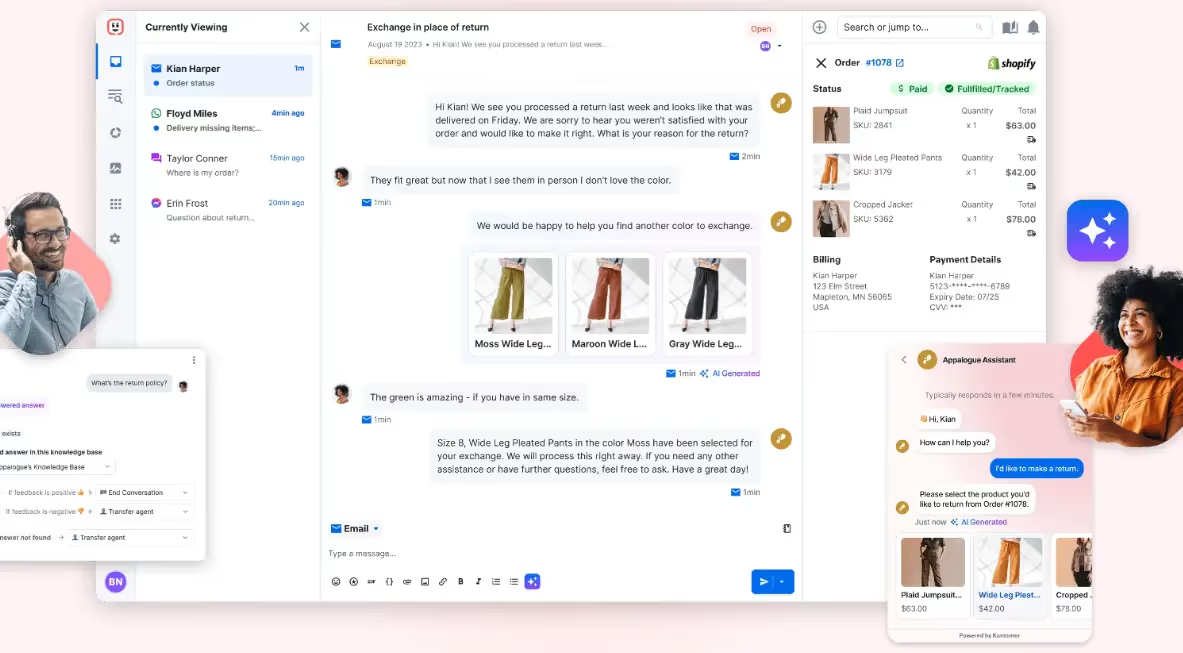
Kustomer's real differentiator is its data model. It organises around a customer timeline rather than a ticket, so agents see one continuous history instead of a stack of disconnected cases. For high-volume B2C operations where the same customer contacts you repeatedly, that changes how the job feels and measurably cuts repeat-context handling time.
Key Features:
-
Strongest at: The timeline data model, which suits repeat-contact B2C support better than ticket-centric tools.
-
Weakest at: Layered pricing and hard minimums. Seats run $89-139 on an eight-seat floor, and conversations bill around $0.60 each even when the AI escalates to a human. Small teams are effectively locked out.
-
Best for: High-volume B2C operations with repeat customers and at least eight agents.
-
Pricing: $89-139 per seat/month on an 8-seat minimum, plus roughly $0.60 per engaged conversation (verified August 2026).
Gladly
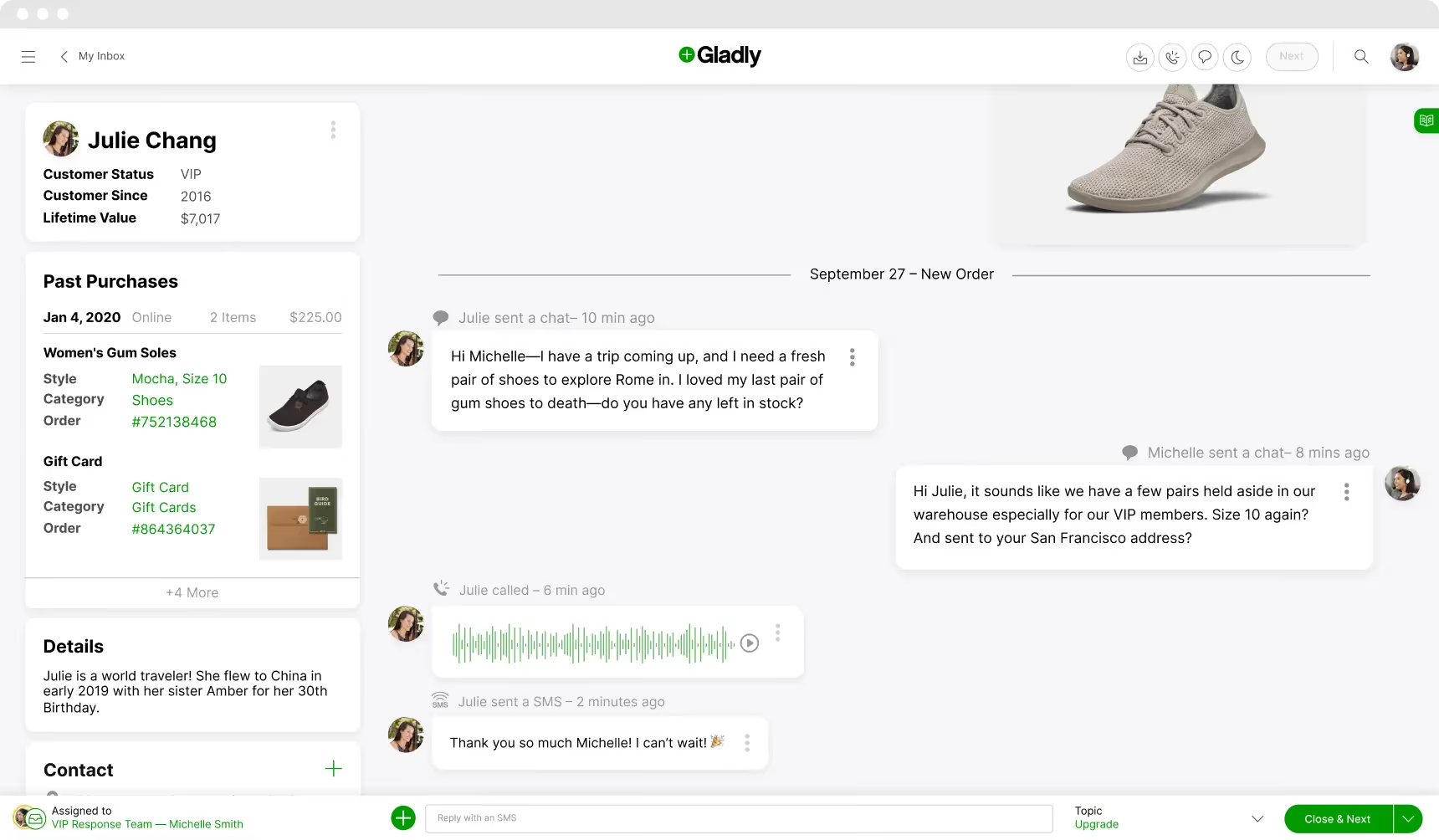
Gladly pushes the people-not-tickets idea further than anyone else here. There is no ticket object at all, only a single continuous conversation per customer spanning every channel. For consumer brands where recognition and loyalty matter more than case throughput, agents genuinely prefer working in it, and that shows up in retention.
Key Features:
-
Strongest at: A genuinely customer-centric model that agents like, for brands where relationship depth matters.
-
Weakest at: Cost and seat minimums put it out of reach for most teams. It is also a poor fit for transactional, high-deflection support, where the ticket abstraction is actually the right one.
-
Best for: Consumer brands with large agent teams competing on service quality.
-
Pricing: Hero $180/user/month with a 10-seat minimum; Superhero $210/user/month with a 45-seat minimum, both billed annually (verified August 2026).
Gorgias
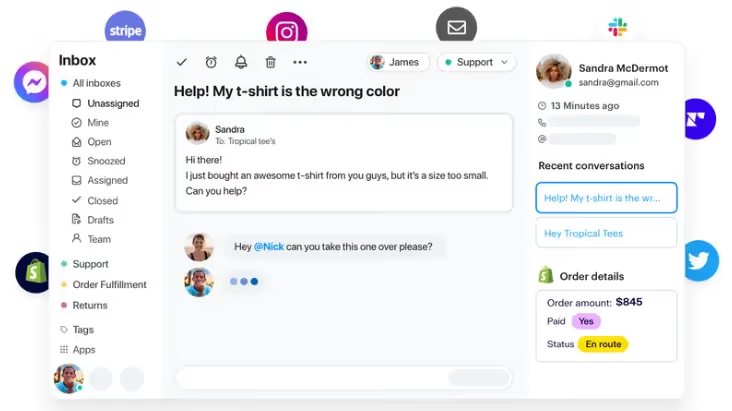
For Shopify ecommerce, Gorgias is the default and it earns that position. The integration surfaces order data, refunds, and subscription state directly in the agent view, and automation rules absorb the where-is-my-order volume that dominates retail support without a human ever touching it.
Key Features:
-
Strongest at: Depth of native ecommerce integration, particularly Shopify. Nothing else is close in that niche.
-
Weakest at: Outside ecommerce it makes little sense. Ticket-based pricing also punishes exactly the volume growth you are presumably chasing, and AI Agent conversations bill twice, once as a ticket and again as an automation fee.
-
Best for: Shopify and ecommerce brands of any size.
-
Pricing: $10/month (50 tickets) to $900/month (5,000 tickets), never priced per agent. Overage $0.32-0.40 per ticket; AI Agent adds $0.90-1.00 per conversation (verified August 2026).
Helply (formerly Groove)
Groove rebranded to Helply in May 2026 and repositioned as a B2B, AI-native support platform. groovehq.com now redirects there, and Groove's own help centre runs on Helply's knowledge-base product. The tool people knew as Groove, a clean and genuinely simple small-business help desk, is still maintained for its existing base, but it is explicitly not where the company is going.
Key Features:
-
Strongest at: Outcome-based pricing with unlimited seats, which suits B2B teams that want cost tied to resolution rather than headcount.
-
Weakest at: The reason Groove appeared on lists like this one, cheap and simple for small teams, is gone. Helply now bills $1 per ticket with a 250-ticket monthly minimum and a $3,000 annual floor. If you came here for a budget small-team help desk, look at Help Scout or Zoho Desk instead.
-
Best for: Existing Groove customers, and B2B teams wanting unlimited seats on outcome pricing.
-
Pricing: Helply: $1 per ticket, 250-ticket monthly minimum, $3,000 annual commitment, unlimited agents included (verified August 2026).
HappyFox
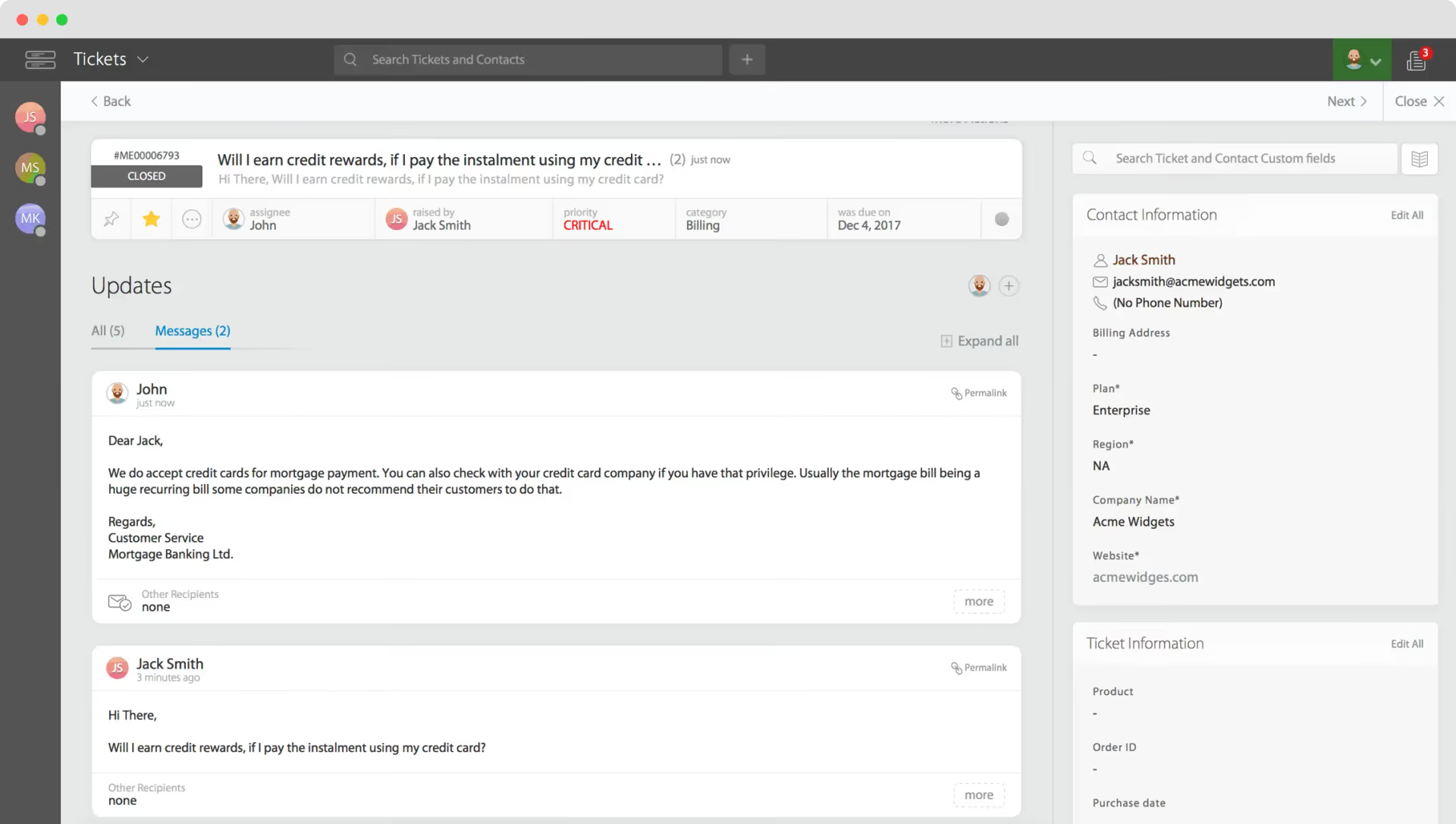
HappyFox is a competent, highly configurable ticketing system with strong workflow automation and an unusually good asset and task management side. That combination is why it lands in IT-adjacent service desks about as often as customer-facing ones, and why it survives procurement processes that favour configurability over polish.
Key Features:
-
Strongest at: Workflow automation and configurability, especially where IT and customer support share one queue.
-
Weakest at: Modular pricing is the catch. Chat, AI, Workflows, and BI are separate products with separate prices, so the advertised per-agent figure bears little relationship to what a working deployment costs. Price the full bundle before comparing it to anything else.
-
Best for: Mid-sized teams needing heavy workflow customisation, often spanning IT and CX.
-
Pricing: Help desk from $14/agent/month (Standard) and $29/agent/month (Premium). Chat, AI, Workflows, and BI are priced separately (verified August 2026).
Best Customer Service Software by Use Case
The list above is ordered as a list. What you should buy depends on the shape of your operation rather than the ranking, so here are the same fifteen mapped to the situation each one actually fits.
| If this is your situation | Start with |
|---|---|
| Mid-market contact centre running phone and digital at real volume | Dixa |
| Regulated industry needing HIPAA compliance and a signed BAA | Giva |
| Ecommerce or SMB where the website widget is the primary channel | Tidio |
| Enterprise already standardised on Salesforce, with admin capacity | Salesforce Service Cloud |
| Cost-conscious SMB or mid-market, especially existing Zoho customers | Zoho Desk |
| Already committed to HubSpot across marketing and sales | HubSpot Service Hub |
| Chat-led SaaS or B2C wanting AI resolving rather than deflecting | Intercom |
| Email-led B2B or SaaS support under about 15 agents | Help Scout |
| Budget-constrained and phone is a primary channel | LiveAgent |
| Predictable, repetitive, high-volume queues | Kayako |
| High-volume B2C with repeat customers and at least eight agents | Kustomer |
| Consumer brand with a large agent team competing on service quality | Gladly |
| Shopify or ecommerce, any size | Gorgias |
| Existing Groove customer, or B2B wanting unlimited seats on outcome pricing | Helply |
| Mid-sized team needing heavy workflow customisation across IT and CX | HappyFox |
Two rows carry a gate rather than a preference. Kustomer's eight-seat floor and Helply's $3,000 annual minimum disqualify small teams before fit is even a question, so check the seat minimums section below before you shortlist either.
How to Choose: A Selection Sequence That Works
Most shortlists fail at the same point. Teams compare feature grids, pick the platform with the most checkmarks, and discover in month three that they bought for capability they never use while missing the one thing their operation actually depends on. This is the order I use in CX technology consulting engagements.
1. Count your channel mix before you look at a single vendor. Pull the last ninety days of contacts and work out the real percentage split across email, chat, phone, social, and self-service. Nearly every team I have worked with guesses this wrong, usually overestimating phone and underestimating chat. The answer determines the shortlist on its own: chat-dominant operations belong on Intercom or Tidio, email-dominant on Help Scout, phone-heavy on LiveAgent or Dixa, ecommerce on Gorgias.
2. Decide whether self-service is a channel or an excuse. If you intend AI to genuinely resolve contacts, you need a platform whose AI resolves rather than deflects, and you need the knowledge base to exist first. The best customer self-service software in 2026 is not a separate product category any more; it is a capability inside the platforms above, and its quality tracks the quality of your documentation almost exactly. A team with a thin knowledge base will get a thin resolution rate on any of them.
3. Model the bill on the pricing model, not the sticker price. Use the table earlier in this article. Per-agent, per-ticket, and per-resolution contracts diverge sharply at scale, and the cheapest entry point is frequently the most expensive option at the volume you are growing into.
4. Check the seat minimums before you fall in love. Gladly needs ten seats and its higher tier needs forty-five. Kustomer needs eight. Helply carries a $3,000 annual floor. These gates disqualify platforms for small teams regardless of how well they scored on steps one through three, and they are rarely on the pricing page in a form you can skim.
5. Trial with real ticket data, not demo data. Two or three finalists, your actual queue, at least two weeks. Demo environments are built to make routing and AI look effortless. Your genuine ticket mix, with its ambiguous subject lines and half-finished sentences, is the only honest test. Most teams skip this step and it is the single most common cause of a migration that gets reversed.
6. Budget the migration honestly. Three to six months of operations time is normal for a mid-market move, and it is almost never in the business case. Once you are live, track whether the platform changed anything by watching resolution time and the difference between your CSAT, NPS, and CES readings rather than by asking the team whether they like it.
If you are running or considering an outsourced team alongside this decision, the platform choice and the call center outsourcing decision are not independent. Pick the software first if the operation is staying in-house, and pick it with your BPO partner if it is not.
Wrap Up
There is no best customer service software in 2026. There is a best one for your channel mix, your ticket volume, and how you want to pay for AI. Whether your team calls the category customer service platforms, customer support software, or simply customer service tools, the shortlist that matters is the same one, and it is set by the shape of your operation rather than by the label.
If chat is your primary channel and you want AI genuinely closing conversations, Intercom is the strongest option and you should budget for outcome pricing. If you are email-led and under fifteen agents, Help Scout will be running by the end of the week. Shopify merchants should look at Gorgias and stop there. Regulated industries needing a signed BAA should look at Giva. Large omnichannel contact centres running real phone volume should look at Dixa. If you already live inside Salesforce or HubSpot, the integration argument usually outweighs the feature argument.
Two things I would push back on if you were sitting across the table. Do not buy for the org chart you want in two years, because you will pay for capability you cannot staff. And do not treat the AI resolution rate on a vendor's homepage as a forecast; it is a ceiling achieved by a customer with excellent documentation, and your number will track your knowledge base, not their model.
At rethinkCX we implement and migrate these platforms rather than sell them, so if you want a second opinion on a shortlist you have already built, that is a conversation worth having before you sign rather than after.